
Laptop Charging Port Replacement Christchurch
Laptop not charging, only charging when the cable is held at an angle, or showing an intermittent power connection?
LaptopFixNZ provides professional laptop charging port replacement in Christchurch for damaged DC jacks, USB-C charging ports and selected motherboard-level charging faults.
We repair charging problems on Dell, HP, Lenovo, Asus, Acer, MSI and many other Windows laptop brands from our workshop in Wigram, Christchurch.
Charging port repair from $160
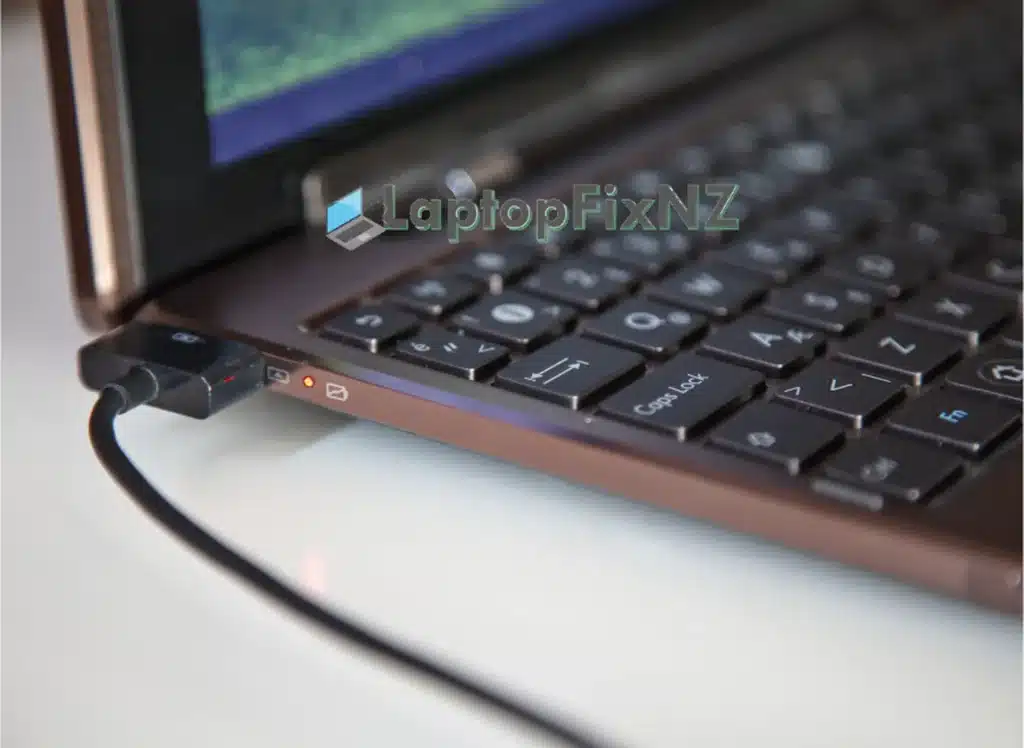
Common Signs Your Laptop Charging Port May Be Faulty
A laptop that does not charge is not always caused by the charging port. The charger, battery or motherboard charging circuit can produce similar symptoms, so we diagnose the fault before replacing parts.
Loose or Wobbly Charging Connection
The charger plug feels loose inside the laptop or moves more than it should.
Charges Only at Certain Angles
Charging starts or stops when the cable or plug is moved.
Charging Cuts In and Out
The laptop repeatedly switches between charging and battery power.
Physically Damaged Port
The charging connector may be bent, pushed inward or visibly damaged.
Laptop Does Not Charge
The charger appears to be working, but the laptop does not recognise or accept power.
USB-C Charging Not Working
Modern laptops that charge through USB-C can develop port, connector or motherboard-level charging faults.
Laptop Has No Power
A damaged charging input can sometimes prevent the laptop from receiving power, although no-power faults can also have other causes.
Laptop Charging Port Replacement Prices
Typical pricing depends on the laptop model, the type of charging connector and whether the port is modular or soldered directly to the motherboard. We confirm the repair requirements and cost before approved work begins.
| Charging Port Service | Typical Price |
|---|---|
| Standard Laptop Charging Port Repair | From $160 |
| Soldered DC Jack Replacement | From $160 |
| USB-C Charging Port Repair | From $180 |
| Motherboard Charging Fault | Quote after diagnosis |
Not every no-charge fault is caused by the charging port. The charger, battery or motherboard charging circuit can produce similar symptoms, so we diagnose the fault before replacing parts.
Types of Laptop Charging Ports We Repair
Laptop charging systems vary by model. Some laptops use a traditional DC jack, while newer models often use USB-C. Charging faults can also involve the motherboard rather than the connector itself.
Standard DC Charging Jacks
Many laptops use a round or rectangular DC charging connector. Depending on the model, the jack may be attached by a cable or soldered directly to the motherboard.
USB-C Charging Ports
Many modern laptops use USB-C for charging. A no-charge fault may involve the physical USB-C connector, damaged solder joints or other charging circuitry on the motherboard.
Motherboard Charging Faults
Sometimes the charging port is physically intact and the fault is elsewhere in the laptop’s power circuit. We diagnose the cause before recommending charging-port replacement.
Charging Port Repair for Major Laptop Brands
We repair charging faults across a wide range of Windows laptops, including damaged DC jacks, USB-C charging ports and selected motherboard-level charging faults.
Repair availability can vary by model and parts availability. Send us the laptop model number if you are unsure.
Dell
Inspiron, Latitude, XPS and Alienware
HP
Pavilion, Envy, ProBook, EliteBook and Omen
Lenovo
ThinkPad, IdeaPad, Yoga and Legion
Asus
VivoBook, ZenBook, ROG and TUF
Acer
Aspire, Swift, Nitro and Predator
MSI
Gaming, Creator and performance laptops
Gigabyte
Aero, Aorus and selected Gigabyte models
Samsung
Galaxy Book and selected Samsung laptops
Toshiba
Satellite, Tecra and selected Toshiba models
Panasonic
Toughbook and selected Panasonic laptops
How We Repair Laptop Charging Port Faults
Our charging-port repair process is designed to identify the actual cause of the problem before parts are replaced. A laptop that is not charging can be caused by the DC jack, USB-C port, charger, battery or motherboard charging circuit.
Power & Charging Diagnosis
We test the charging input and relevant power components to determine whether the fault involves the charging port, charger, battery or motherboard circuitry.
Inspect the Charging Port
We inspect the DC jack or USB-C charging port for physical damage, looseness, worn contacts, damaged solder joints or signs that the connector has separated from the motherboard.
Confirm the Repair
Once the fault is identified, we explain the required repair and confirm the expected cost before approved work begins.
Repair or Replace the Charging Port
Where required, the damaged DC jack or USB-C charging connector is removed and a replacement is installed using suitable board-level soldering equipment. If damage extends to nearby motherboard connections, those areas can also be repaired where practical.
Final Charging & Power Testing
After the repair, we test charging stability, power input and the repaired charging function before the laptop is returned.
Why Choose LaptopFixNZ for Charging Port Repair?
We combine accurate diagnosis, component-level repair experience and clear pricing to help customers choose the right repair for laptop charging faults.
Component-Level Repair
We repair suitable charging-port and motherboard faults at component level where practical, rather than automatically replacing the entire motherboard.
Clear Quotes Before Repair
We diagnose the charging fault and confirm the expected repair cost before approved work begins.
10+ Years Repair Experience
We have experience diagnosing and repairing charging, power and motherboard faults across many Windows laptop brands.
6-Month Warranty
Charging port repairs include a 6-month warranty on the repaired charging-port work.
Local Christchurch Workshop
Laptop charging-port repairs are completed from our workshop in Wigram, Christchurch.
Nationwide Mail-In Repair
Customers outside Christchurch can send laptops to us from anywhere in New Zealand for diagnosis and repair.
Laptop Charging Port Repair in Wigram, Christchurch
LaptopFixNZ provides professional laptop charging port repair from our workshop at 1 Romanee Lane, Wigram, Christchurch.
We help customers from Wigram, Hornby, Halswell, Riccarton, Addington, Sockburn, Burnside, Papanui and surrounding Christchurch areas.
Customers from Rolleston, Lincoln and wider Canterbury can also bring laptops to us for charging diagnosis and repair.
Customer Reviews – Laptop Charging & Laptop Repair
With 169 Google reviews and a 5.0 rating, LaptopFixNZ has built a strong reputation for laptop repair in Christchurch. Here are a few reviews from customers who used our laptop repair services.
Andy Cullen ⭐⭐⭐⭐⭐
“Contacted LaptopFixNZ about a tricky keyboard problem with my Dell Vostro 7500. They accepted the challenge without any concerns and had it fixed overnight. Very professional friendly service, expert knowledge. Would use them again without hesitation. Brilliant ”
Cobus van Vuuren ⭐⭐⭐⭐⭐
“Found these guys during a search, can highly recommend them for repairs, did my Laptop repair over a long weekend, new screen, works like new. Kept in touch, quick response both in quoting, answering questions and doing the work.”
cos Jeffery⭐⭐⭐⭐⭐
“Alex expertly repaired my laptop which had a seized hinge which actually broke the case on both sides. It now opens n closes better than ever & the case is totally repaired. ”
Johnny Kawaguchi ⭐⭐⭐⭐⭐
“Very experienced laptop/motherboard repairer, Victoria is very welcoming and taking care of any device that needs repair, Alex is professional, I was well informed thru the repair process of what id happening with the laptop repair.”
Jess P ⭐⭐⭐⭐⭐
“After being rejected for laptop repair by a large national chain (I was told it wasn’t worth repairing and they refused to quote it), I took a last chance on sending it away to Christchurch to be looked at by the LaptopFix NZ team. ”
Carolyn Landesman⭐⭐⭐⭐⭐
“I had a problem with my laptop running slow. It needed windows reloaded and a new drive. Not only did they fix the problem, but they also exceeded my expectations. The computer was ready earlier than I thought ”
Nationwide Laptop Charging Port Repair
Outside Christchurch? You can send your laptop to LaptopFixNZ for charging-port diagnosis and repair from anywhere in New Zealand.
Once it arrives, we inspect the fault, confirm the required repair and keep you updated throughout the process.
View Mail-In Repair Information →Related Laptop Repair Services
Need help with another laptop fault? Explore our general laptop repair service, battery replacement and screen replacement options.
Laptop Repair
Diagnosis and repair for Windows laptop power, display, keyboard, cooling and motherboard faults.
View Laptop Repair Services →Laptop Battery Replacement
Battery replacement for laptops with poor battery life, rapid discharge or batteries that no longer charge correctly.
View Laptop Battery Replacement →Laptop Screen Replacement
Replacement for cracked, damaged, flickering or non-working laptop displays.
View Laptop Screen Replacement →Laptop Charging Port Replacement FAQ
How much does laptop charging port replacement cost?
Standard laptop charging-port repairs start from around $160. USB-C charging-port repairs typically start from $180. Final pricing depends on the model and type of fault.
Why does my laptop charge only when I hold the cable at an angle?
This can happen when the charging connector is loose, worn or physically damaged, although the cable or charger itself can sometimes cause similar symptoms.
Does a laptop that won't charge always need a new charging port?
No. Charging faults can also involve the charger, battery or motherboard charging circuitry. We diagnose the cause before replacing the port.
Can a soldered laptop charging port be replaced?
Yes. Many DC and USB-C charging connectors are soldered directly to the motherboard and can be replaced using board-level soldering equipment.
Can you repair USB-C charging ports?
Yes. We diagnose and repair selected USB-C charging-port faults on supported laptop models.
Is it safe to keep using a loose charging port?
Continuing to use a physically loose or damaged connector can place additional stress on the port and motherboard. It is better to have the fault inspected.
Do you repair laptops from outside Christchurch?
Yes. Customers throughout New Zealand can send laptops to us using our mail-in repair service.